Guide to the SEPA direct debit reference for businesses
2026-01-28
The SEPA direct debit reference is, in essence, the ID of each of your banking operations. It is a unique alphanumeric code that identifies beyond doubt each individual transaction within a batch.
Technically, this code corresponds to the EndToEndId field in the XML file you send to the bank. Its role is crucial for accounting reconciliation, because it lets you track a payment from when you issue it until it reaches its destination. If you manage this reference well, you will save yourself a lot of headaches and bank rejections.
What the reference is really for in your batches
Think of the direct debit reference as the label you put on each collection or payment. Its main purpose is to ensure perfect traceability. This became vitally important with the move from the old national bank books to the XML standard we use today across the Single Euro Payments Area.
This change, although it may have caused some chaos at first, has overwhelming logic: everyone speaking the same language. Before SEPA, each bank and each company used its own systems, which made payment management—especially international—a complex, error-prone task. Now, with a standard field like EndToEndId, communication between companies and banks is much smoother.
A well-defined and well-managed reference will bring you very tangible benefits:
- Automatic reconciliation: Your accounting software or ERP will be able to match bank movements with your invoices automatically. That means much less manual work.
- Fewer errors: As a unique identifier, the risk of duplicating a collection or assigning it to the wrong party drops to almost zero.
- Clearer communication: Both your client and your bank will know exactly what each movement corresponds to. If a doubt arises, it is resolved in a moment.
- Regulatory compliance: Using reference fields correctly ensures your batch files meet European banking requirements, avoiding rejections.
It is important not to confuse the direct debit reference (EndToEndId) with the mandate reference (MandateId), which is the code that identifies the authorisation your client gave you to collect from them. To learn more about this other concept, we recommend reading our article on what the SEPA mandate is. Mastering both is key to impeccable collection and payment management.
SEPA references inside the XML file: where does each piece of data go?
To master SEPA direct debit reference management, the first thing is to know exactly where it sits in the XML file you send to the bank. Although this file’s structure is complex, there are three fields that are the cornerstone for correctly identifying both transactions and collection authorisations.
Each has its own role, and understanding what differentiates them is crucial to avoid rejections and reconciliation problems. Let us look at each one in detail.
The EndToEndId field: the key reference for the direct debit
The <EndToEndId> (End-to-End Identification) field is undoubtedly the main identifier for each direct debit. It is the unique, mandatory code that accompanies each transaction, whether a transfer (SCT) or a direct debit (SDD).
This identifier has a strict limit of 35 characters. Its purpose is to ensure that each payment is unique within the same batch. Think of it like a tracking number: there cannot be two the same, because it is what allows the operation to be traced from start to finish, from when you order it until it reaches your client’s account.
The MandateId field: the mandate identifier
Unlike EndToEndId, the <MandateId> field does not identify the direct debit itself but the direct debit agreement you have with your client. It is therefore the unique reference of the authorisation the debtor signed to allow you to charge their account.
Its use is exclusive to SEPA Direct Debits (SDD). While <EndToEndId> will be different for each direct debit you issue (e.g. each month), <MandateId> will always be the same as long as that direct debit mandate remains in force. It is the link that ties all of a client’s collections to their original authorisation.
The RmtInf field: the space for the payment concept
Finally, we have the <RmtInf> (Remittance Information) field. This is a space for adding descriptive, complementary information. Here you can put the payment concept, such as “Invoice JAN-2024” or the full invoice number.
It allows up to 140 characters, quite a bit more than EndToEndId, which lets you add useful details for whoever receives the collection. However, it is essential to be clear that it does not replace the main reference. Its use is optional and its purpose is to facilitate reconciliation, but technical traceability and the unique identification of the operation always rest with <EndToEndId>.
This visual diagram summarises why managing these references well is so important.
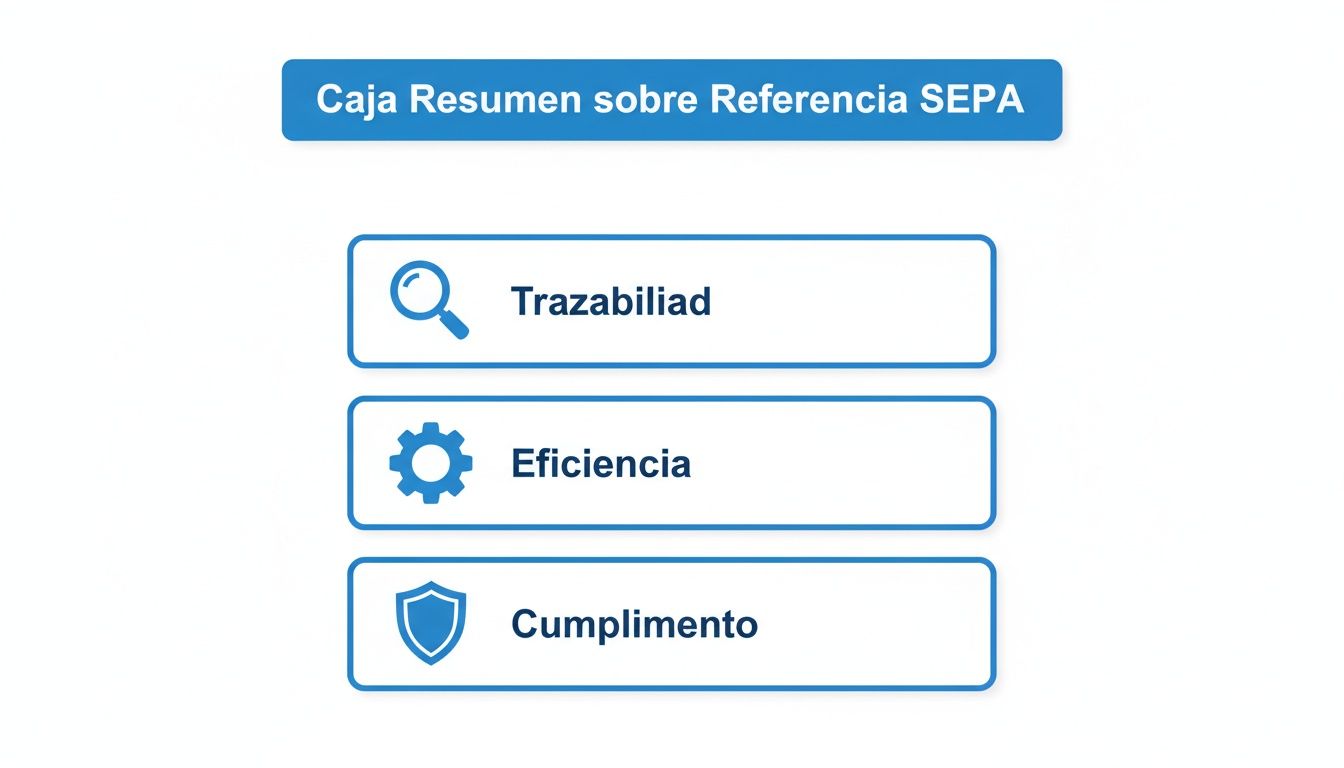
As you can see, a well-defined reference not only lets you track each payment but also speeds up your administration and ensures you comply with the regulation.
To better understand the role of each field, this comparison table summarises their key characteristics.
XML field comparison for the SEPA reference
| XML field | Main purpose | Character limit | SEPA scheme (SCT/SDD) | Common use |
|---|---|---|---|---|
<EndToEndId> |
Uniquely identify each individual transaction. | 35 | Both (SCT and SDD) | Direct debit or short invoice reference (e.g. F-2024-00123). Mandatory. |
<MandateId> |
Uniquely identify the direct debit mandate. | 35 | SDD only | Contract or client reference (e.g. CLI-4589-MANDATE). |
<RmtInf> |
Provide descriptive information about the payment. | 140 | Both (SCT and SDD) | Payment concept to facilitate reconciliation (e.g. “Gym fee January 2024”). Optional. |
In short, EndToEndId is your transaction identifier, MandateId is the identifier of the agreement with your client for direct debits, and RmtInf is the space for the “concept” we all know.
Since SEPA was fully implemented in 2014, the use of the ISO 20022 XML format has been the norm. This standard brought an important change, reducing the space available for the concept in direct debits from the 640 characters of the old book 19 to the current 140, forcing companies to be much more direct and efficient with the information.
If you need help organising the data before generating the file, we recommend consulting our guide on what data your direct debit CSV file should contain.
Format rules and allowed characters to avoid errors
One of the most common reasons a bank returns a SEPA batch is format errors in the direct debit reference. This is not optional; following the rules to the letter is essential for your files to be processed without problems. If you understand these rules well, you will save yourself a lot of time and the typical returns that cost money.

SEPA regulation is very strict, especially with the fields used to identify operations. Each field has its own length limits and, more importantly, a very specific set of characters you can use.
Character limits you must remember
It is crucial not to confuse the two main fields where you can put reference information. Their limits are very different because they are designed for different things.
<EndToEndId>(Direct debit reference): This is the key field and has a strict limit of 35 characters. There is no margin for error here: one character over and the entire file will be rejected automatically.<RmtInf>(Payment concept): This field gives you more freedom, allowing up to 140 characters. It is usually used to add descriptive information for the client, but be careful: it does not replace the unique identifying role ofEndToEndId.
Practical tip: Validation of these limits is the first filter the bank’s system applies. Check that your billing software or ERP is well configured so it never generates references longer than allowed.
The character set SEPA accepts (and the one it does not)
The golden rule here is simplicity. To avoid encoding problems between different European banks, the SEPA XML standard only allows a very basic Latin character set.
This is the set of allowed characters:
* Letters: A to Z, both upper and lower case (no Ñ or Ç).
* Numbers: 0 to 9.
* Specific symbols: / - ? : ( ) . , ' +
Any character not on this list, however normal it may seem in Spanish, is forbidden and will cause an error.
Examples of characters that will cause immediate rejection:
* Letters with accents (á, é, í, ó, ú).
* The letter ñ or ç.
* Currency symbols such as the euro (€) or the dollar ($).
* Other common symbols such as the at sign (@), ampersand (&) or asterisks (*).
Therefore, a reference like FACTURA-Nº-2024 would be invalid for using Ñ and the symbol º. The correct way to write it would be something like FACTURA-N-2024 or FACTURA-2024. Paying attention to these small details is the key to having your batches processed first time and without incidents.
How to create direct debit references that really work
Beyond complying with the technical rules, the real trick is to design a structure for the SEPA direct debit reference that becomes a powerful tool for your own management. A well-thought-out reference can literally save you hours in accounting reconciliation and reduce manual errors to a minimum.
The key is simple: create a naming system that is consistent and logical, making the most of the 35 characters you have available. It is not about filling for the sake of it but about using that space intelligently so that each code gives you valuable information at a glance.
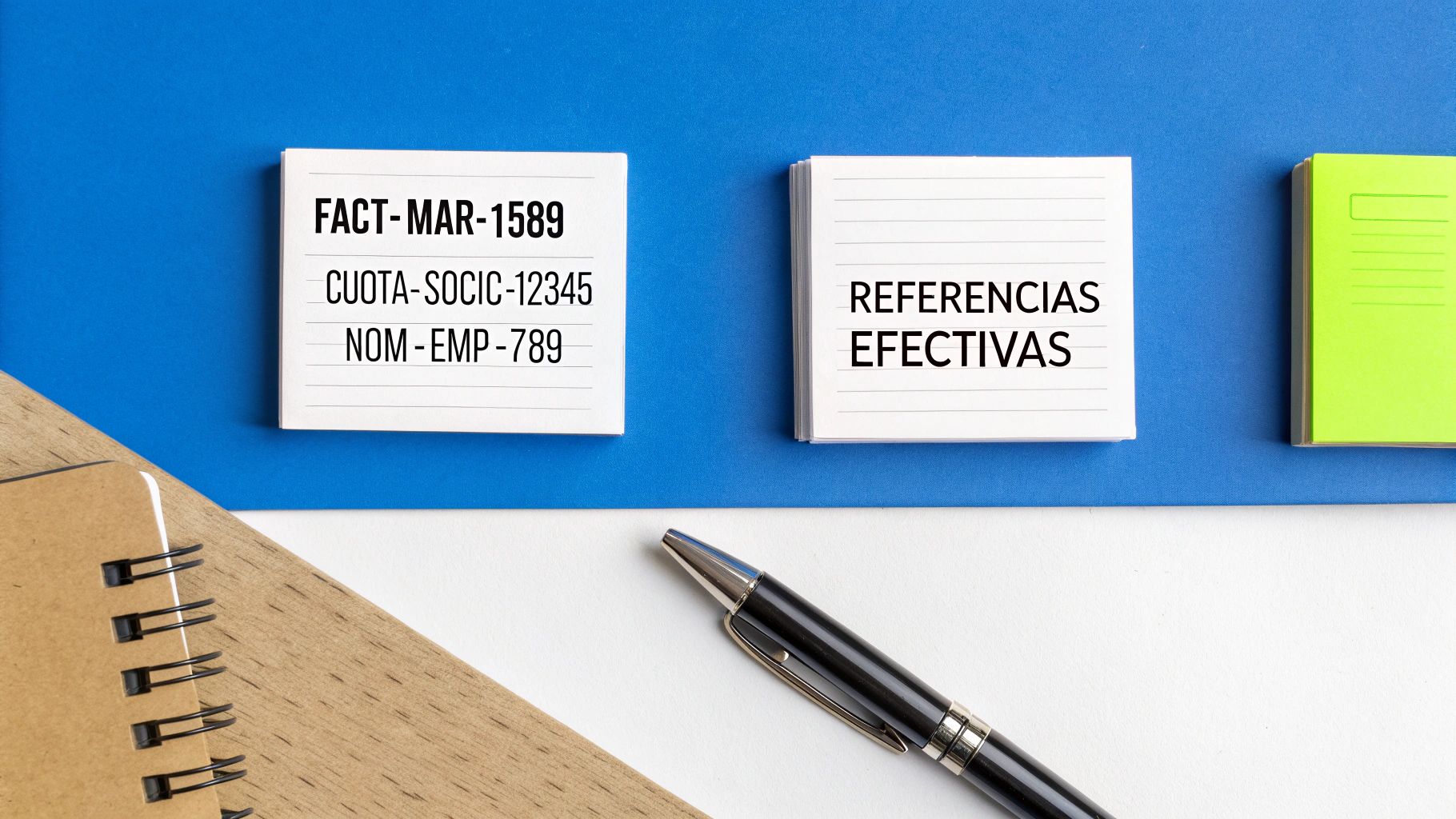
Practical models for different scenarios
There is no magic formula that works for everyone. The best structure will always depend on the type of collection you are managing. What is crucial is that the system is methodical and scalable. Here are several tried-and-tested models you can easily adapt to your business.
- For variable billing: A combination of a prefix, the invoice number and a client identifier is foolproof. That way, locating the associated accounting document is immediate.
- Example:
INV-2024-01589-CLI456 - Breakdown:
INV(operation type) +2024-01589(invoice number) +CLI456(client code).
- Example:
- For recurring fees: If you use a clear prefix, the member or subscriber ID and, if you like, the period, you will visually group all collections for the same concept. Very practical.
- Example:
FEE-MEMBER-12345-MAR24 - Breakdown:
FEE-MEMBER(concept) +12345(member ID) +MAR24(month and year of collection).
- Example:
- For payroll payments: A simple structure with a prefix, the employee code and the pay period gives enormous clarity and confidentiality.
- Example:
PAY-MAR24-EMP789 - Breakdown:
PAY(payment type) +MAR24(month paid) +EMP789(employee code).
- Example:
As you can see in these examples, a good system of prefixes and internal codes turns a simple reference into a really useful source of data.
Expert tip: The effective reference is not just for the bank; it is for you. See it as the main key that connects your accounting with your bank movements. A good naming system will save you a lot of administrative work every month.
Keys to designing your own system
When you sit down to create your naming method, keep these principles in mind. You will ensure it is robust and functional in the long term.
- Consistency is queen: Define a structure and stick to it. If you use
INV-for invoices, do not suddenly switch toINV-. Uniformity is what allows processes to be automated. - Prioritise key information: What data is most vital for you to reconcile? The invoice number, client code, date? Put it at the start of the reference.
- Use logical separators: Hyphens (
-) or full stops (.) are perfect for separating blocks of information. They make the reference much more readable for both a person and software. - Think ahead: Choose a system that can grow with you. For example, make sure numeric codes have enough digits so you do not run out of combinations in a few years.
Investing a little time in adopting a structured approach to your SEPA direct debit reference is one of those small decisions that generate a big return in efficiency and financial control.
The most common errors with the direct debit reference (and how to avoid them)
Even with a perfectly defined naming system, the reality is that mistakes in the SEPA direct debit reference are still one of the most common causes of batch rejection. Knowing these errors will help you get ahead of them, save return costs and avoid the frustration of having to correct and resend files.
A simple error in the reference is not a minor matter. The interbank system is totally inflexible: the slightest deviation from the technical standard triggers automatic rejection. And be careful, because sometimes it is not just the affected direct debit that is rejected but the entire batch.
Invalid characters in the file
This is undoubtedly the star error. It happens when you include a character that is not in the set allowed by SEPA regulation.
The root of the problem is very simple: the banking system cannot process symbols like ñ, accents (á, é), the euro symbol (€) or any other special character that falls outside the standard.
- Practical solution: Before generating the XML file, do a data clean-up. Make sure your management or billing software automatically removes or replaces these forbidden characters. For example,
Ñshould becomeNandÁshould becomeA.
Duplicate reference in the same batch
Each <EndToEndId> field must be absolutely unique within the same file. It is a golden rule: there cannot be two direct debits with the same identifier in a single batch.
This mistake is often the result of human error, such as an unfortunate copy and paste when preparing the data in a spreadsheet. It can also happen if the billing software is not well configured and does not generate a new identifier for each transaction.
- Practical solution: The best way to avoid it is to automate reference generation. You can use a numeric sequence or a combination of data that guarantees each code is unique, such as
INV-followed by an invoice number that never repeats.
Incorrect field length
Another classic. It happens when the character limits allowed for reference fields are exceeded. Remember that <EndToEndId> has a strict limit of 35 characters.
This problem is quite common in companies that use very long invoice numbers or try to put too much information in the main identifier.
- Practical solution: Design a reference structure that always stays under the limit. If you really need to add more information, that is what the
<RmtInf>field is for, which gives you up to 140 characters of margin.
Prevention is the key. Validating references before sending them to the bank is essential to avoid file rejection. A good conversion tool can detect these problems for you, saving you time and headaches.
Ignoring these validations has a direct cost. AEB regulation is very strict, and it is estimated that 95% of banks reject files that do not meet the correct XML standards. In fact, peaks of 10 million rejections per year have been recorded solely due to incorrect references. Tools like ConversorSEPA solve this problem by validating and correcting these formats in seconds. For more information, you can consult sector data published by the Bank of Spain.
Best practices for managing your SEPA references
Managing the SEPA direct debit reference goes far beyond filling in a field to comply with the regulation. It is about setting up an internal system that works like clockwork, lets you track every movement and, in short, makes your life easier. If you establish good practices from day one, you will save yourself a lot of time, money and headaches.
The ultimate goal is simple: create a working method that is logical for your team and can grow with you. The key is not just to avoid the bank returning your direct debits but to turn each reference into a useful trail for your own accounting.
Create an internal naming policy
Here consistency is everything. The first and most important thing is to define and document how you will create references in the company. When everyone follows the same pattern, references are logical and predictable. This is gold for automating processes and for anyone to understand a collection at a glance.
Your policy should make clear:
* The use of prefixes: Assign short codes to each type of payment to classify them. For example, INV- for invoices, PAY- for payroll or RENT- for rent.
* The structure of the data: Decide the order of the elements. Something like [PREFIX]-[YEAR]-[INVOICE_ID]-[CLIENT_ID] works very well.
* Allowed separators: Agree whether you will use hyphens (-) or full stops (.) to make references easier to read.
With a clear policy, you remove ambiguity and ensure the system always works the same, no matter who prepares the batch.
Ensure each reference is unique and correlated
There are two rules you cannot skip if you want a fail-safe system: each reference must be unique and must be directly linked to your internal systems.
The golden rule: Never reuse an old reference. Each transaction—even if it is a recurring collection from the same client—must have a completely new and unique
EndToEndId. Reusing references is one of the most common causes of reconciliation errors and bank rejections.
In addition, every SEPA direct debit reference you create must correspond exactly to a record in your management software or ERP. This perfect connection is what makes automatic bank reconciliation possible without errors. If your reference is INV-2024-1050, there must be an invoice with that same identifier in your accounts.
To make sure you comply with everything, it is also a good idea to know the details about the SEPA creditor identifier, which is another key piece in the structure of your batches. If you combine good internal naming with automation, you will have a collection and payment system that not only complies with the law but becomes a real advantage for your business.
The most common questions about the SEPA direct debit reference
To finish, we will answer the doubts that always arise day to day when preparing batches. Here you have direct, clear answers based on experience, so you can operate with confidence and forget the typical errors that cost time and money.
Can I use the same reference for a client every month?
No, absolutely not—at least not within the same batch file. Think of the <EndToEndId> tag as the ID of each transaction: it must be unique for each operation you include. If you duplicate it, the bank will reject the file immediately.
Although technically you could use the same reference in batches from different months, we do not recommend it. It is bad practice that complicates tracking enormously. The best approach is always to generate a new identifier for each payment. That way you guarantee perfect traceability and reconciliation without headaches.
What do I do if my invoice number has more than 35 characters?
Here there is no choice: you have to shorten it so it fits in the <EndToEndId> field. Exceeding the 35 character limit is grounds for automatic rejection by any bank.
Here are some practical ideas to solve it: * Remove unnecessary prefixes that are not vital for identifying the payment. * Use shorter internal codes that you can later link to the full invoice in your system. * Create a combination of data, such as the client code plus the direct debit date (e.g. CLI123-20241028).
A trick: if you need the client to see the full invoice number, you can add it in the <RmtInf> (Remittance Information) field, which allows up to 140 characters. But remember that the main, control reference must always be short and unique.
Can a simple mistake in the reference cause my direct debit to be returned?
Yes, and in fact it is one of the most common causes of rejection. The problem is that an error in a single reference does not only affect that direct debit but often causes the bank to return the entire batch file.
The most common errors are using a character that is not allowed (such as ‘ñ’ or an accent), exceeding the 35 character length or, as we said, duplicating a reference within the same file. That is why it is so important to check all references carefully before sending anything to the bank.
At ConversorSEPA, we take care of all of this for you. Our platform automatically validates references so they comply with the regulation to the letter, avoiding rejections and saving you a lot of time. Convert your Excel or CSV files to SEPA XML with total security and in seconds. Try ConversorSEPA free and optimise your batch management.
Frequently Asked Questions
- Can I reuse the same direct debit reference for the same customer every month?
- Not within the same payment batch: the EndToEndId field must be unique for every transaction included in a single file. While it could technically be repeated across files from different months, this is strongly discouraged. Best practice is to generate a new identifier for every payment to ensure complete traceability and avoid accounting reconciliation issues.
- What should I do if my invoice number exceeds the 35-character limit of the EndToEndId field?
- You must shorten it, as exceeding the 35-character limit causes the file to be rejected automatically. Options include removing unnecessary prefixes, using a shorter internal code, or combining a customer code with a date. If the full invoice number needs to reach the recipient, you can include it in the RmtInf field, which allows up to 140 characters.
- Which characters are forbidden in the SEPA direct debit reference?
- The SEPA XML standard only allows letters A to Z (upper and lower case), digits 0 to 9, and these specific symbols: / - ? : ( ) . , ' + Any other character causes the file to be rejected. Common forbidden characters include accented letters, the pound and euro symbols, the at sign, ampersand, and asterisks.
- Can a single reference error cause the bank to reject the entire payment batch?
- Yes. The interbank system applies a global validation to the entire XML file before processing any individual transaction. A forbidden character, a duplicate reference within the same file, or a field length exceeding 35 characters can trigger rejection of the whole batch, not just the affected record. Validating all references before submission is therefore essential.